.png)
What it does
Send a hired candidate from Teamtailor to Elva in one click to start their relocation. Elva opens a relocation case prefilled with the candidate's Teamtailor details. Complete the budget and specifics in Elva to continue the relocation process.
How to use it
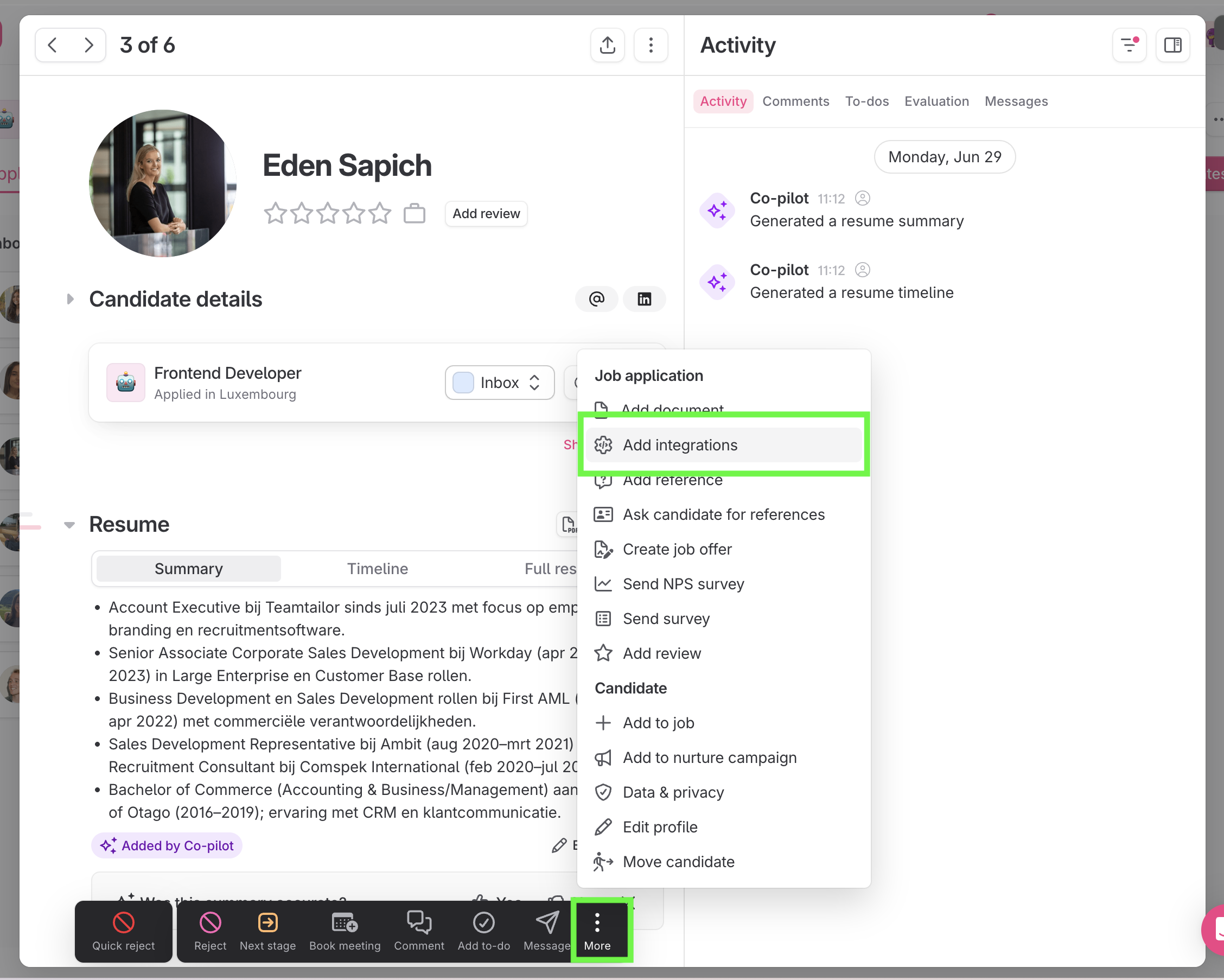
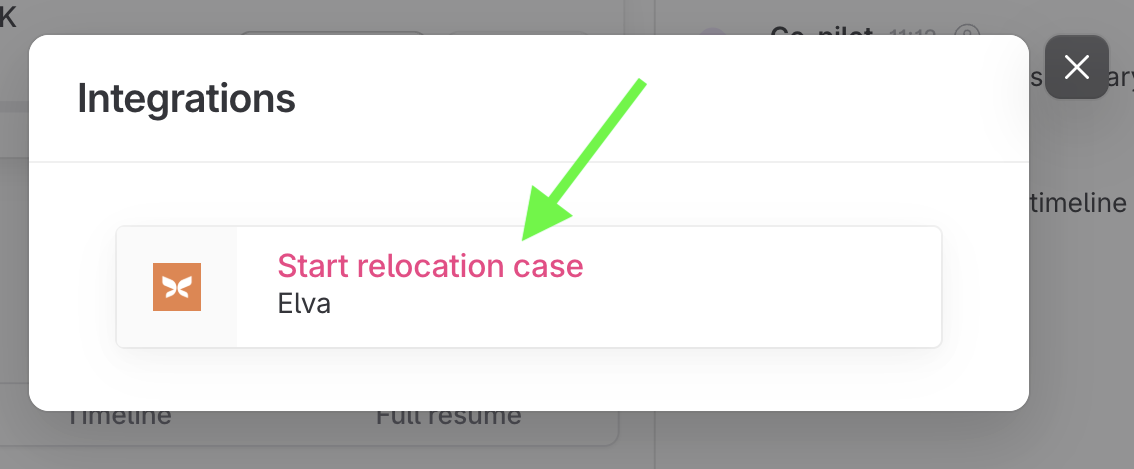
- On a hired candidate in Teamtailor, open More (⋮) → Add integrations → Elva → Start relocation case.
- Elva creates a relocation case, prefilled with the candidate's details.
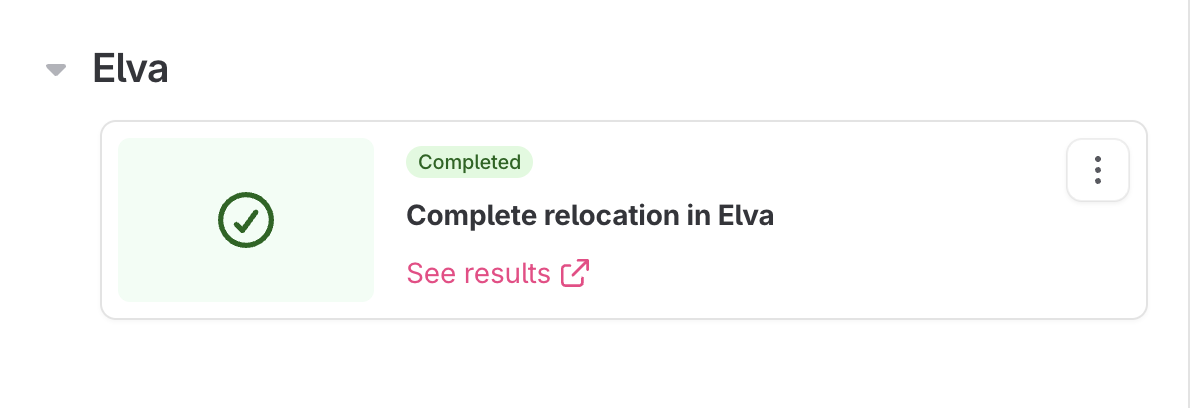
- Open the link titled "Complete relocation in Elva" that appears on the candidate to add budget and specifics.
- The relocation case starts in Elva, and progress is trackable from the candidate in Teamtailor.
Information sent to Elva
Starting a relocation shares the candidate's basic Teamtailor profile with Elva to prefill the relocation case:
- Names
- The role they were hired for
Setup in Elva and Teamtailor
Connect your Teamtailor account to Elva once, and every hired candidate can be sent across from then on.
First, in Elva: Settings → Integrations → Teamtailor → Generate API Key.
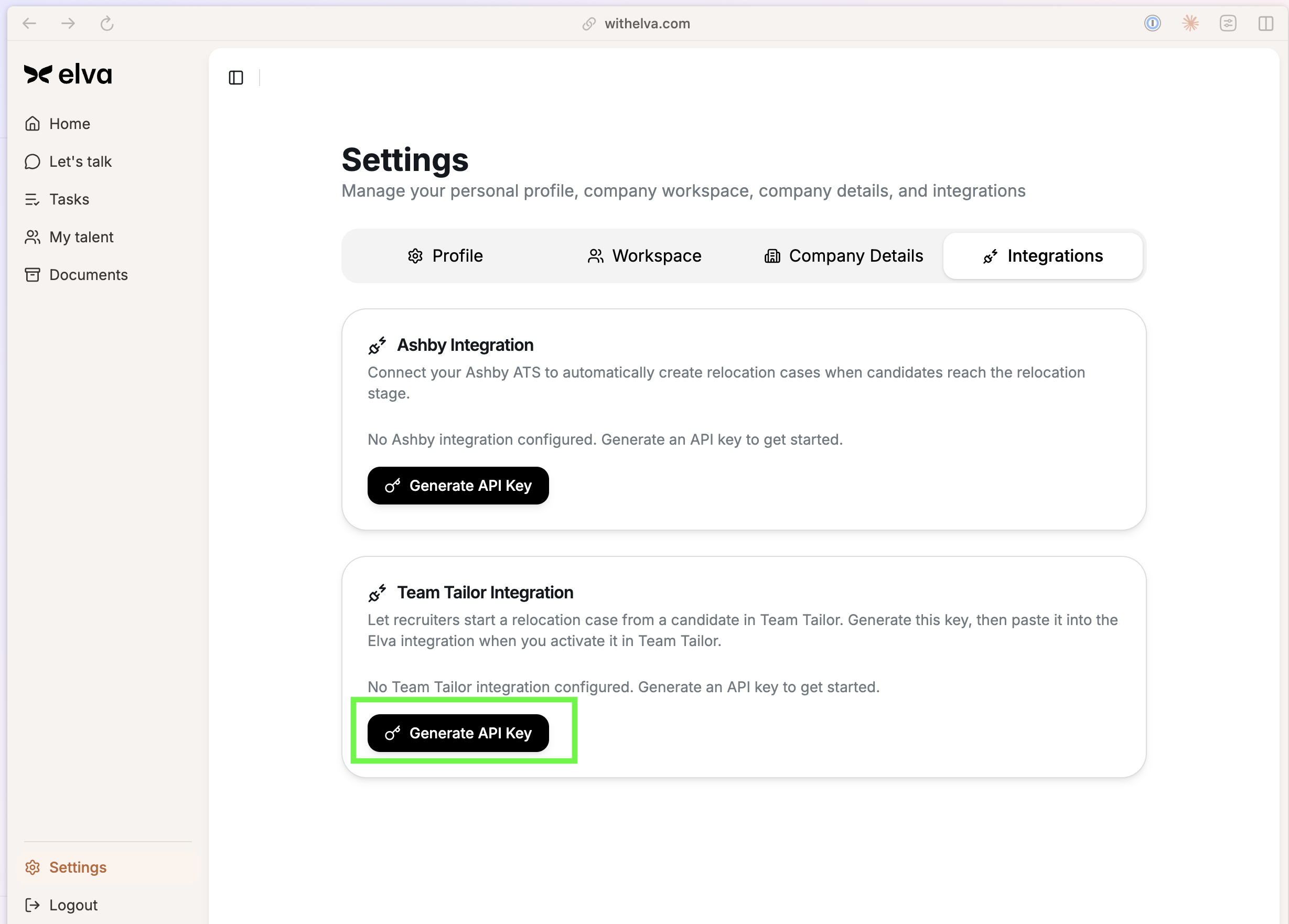
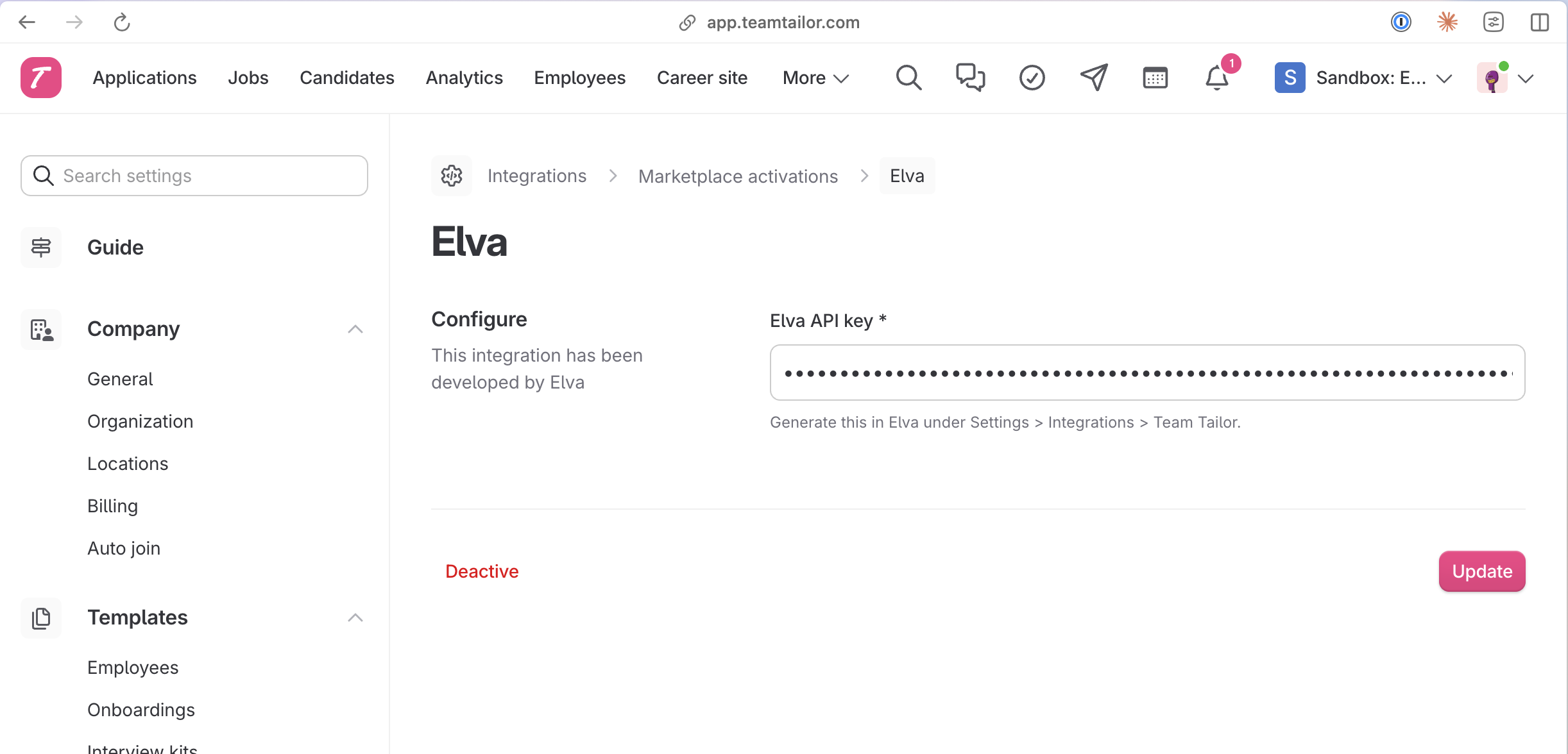
Next, activate the integration in Teamtailor: Marketplace → search "Elva" → Activate, then enter the Elva API Key generated in the previous step.
Support
Questions or trouble with the integration? We're happy to help. Email support@withelva.com.